Tutorial: Building a Simple 2-Bar Robot - Robot Structure
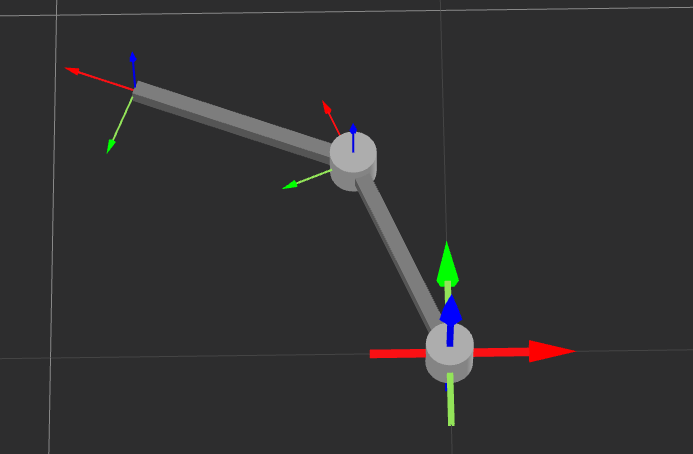
In this tutorial, we will walk through the process of creating a simple "2-bar" robot. By following these steps, you will learn the basic workflow of robot creation, structure setup, and parameter configuration without getting bogged down in complex theories.
Goal: Create a 2-link robot named test_robot.
Step 1: Create a New Robot
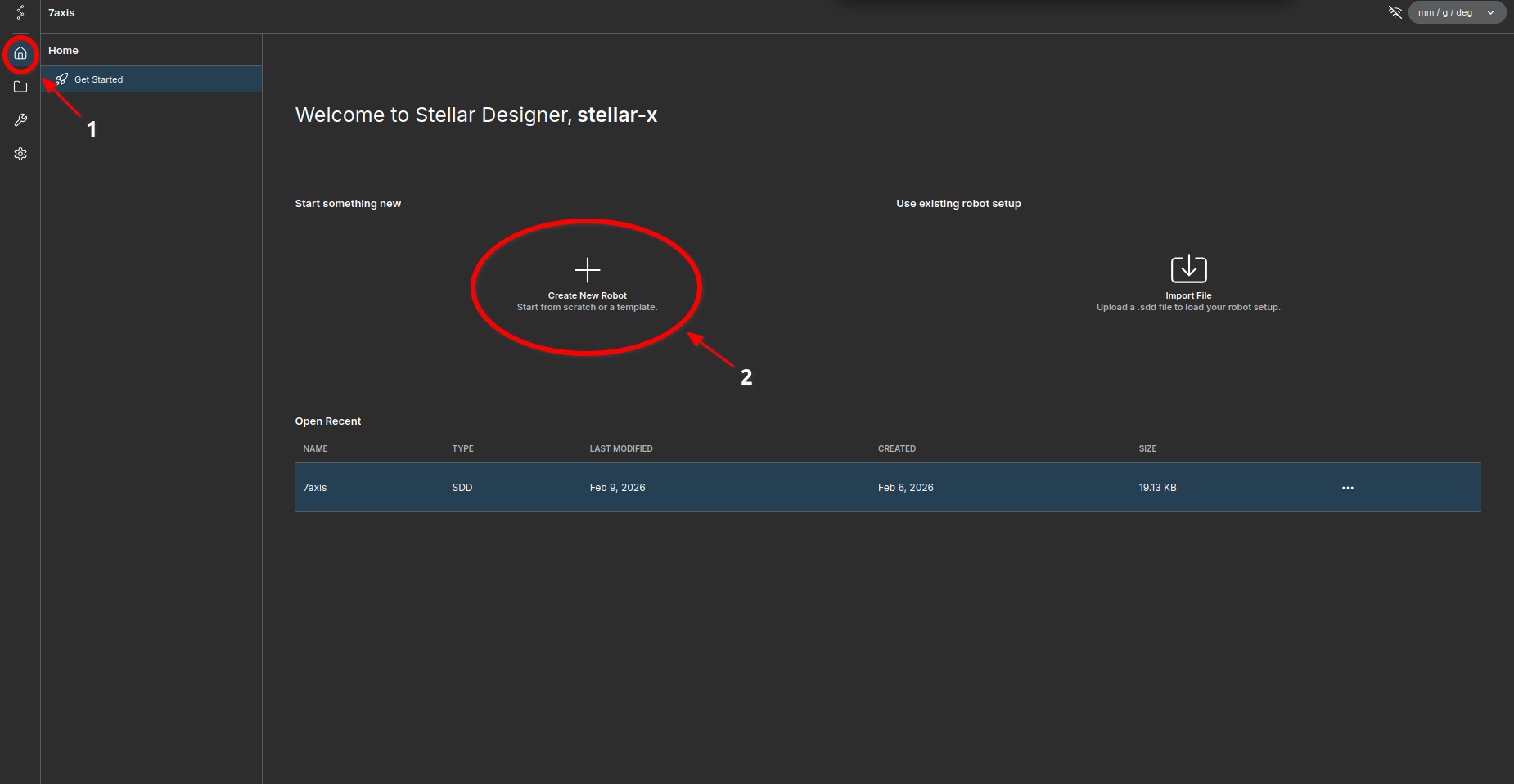
- Navigate to the Home screen.
- Click the Create New Robot button.
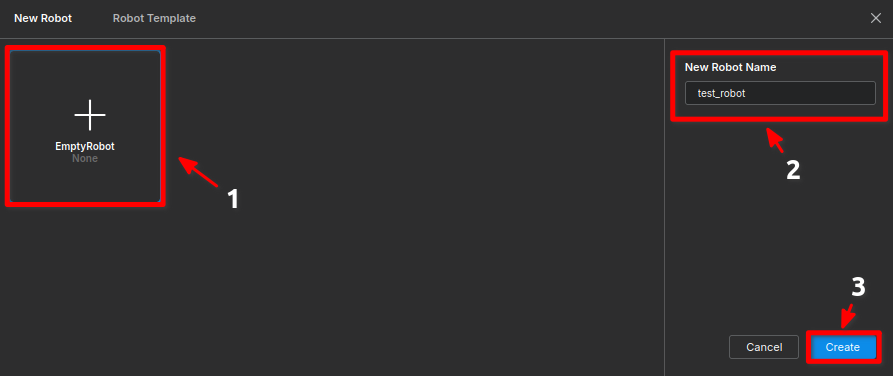
- In the setup screen:
- Select EmptyRobot.
- Enter the name:
test_robot. - Click Create.
test_robotStep 2: Structure Setup (DH Parameters)
We will construct the skeleton of the robot by adding joints and setting their lengths.
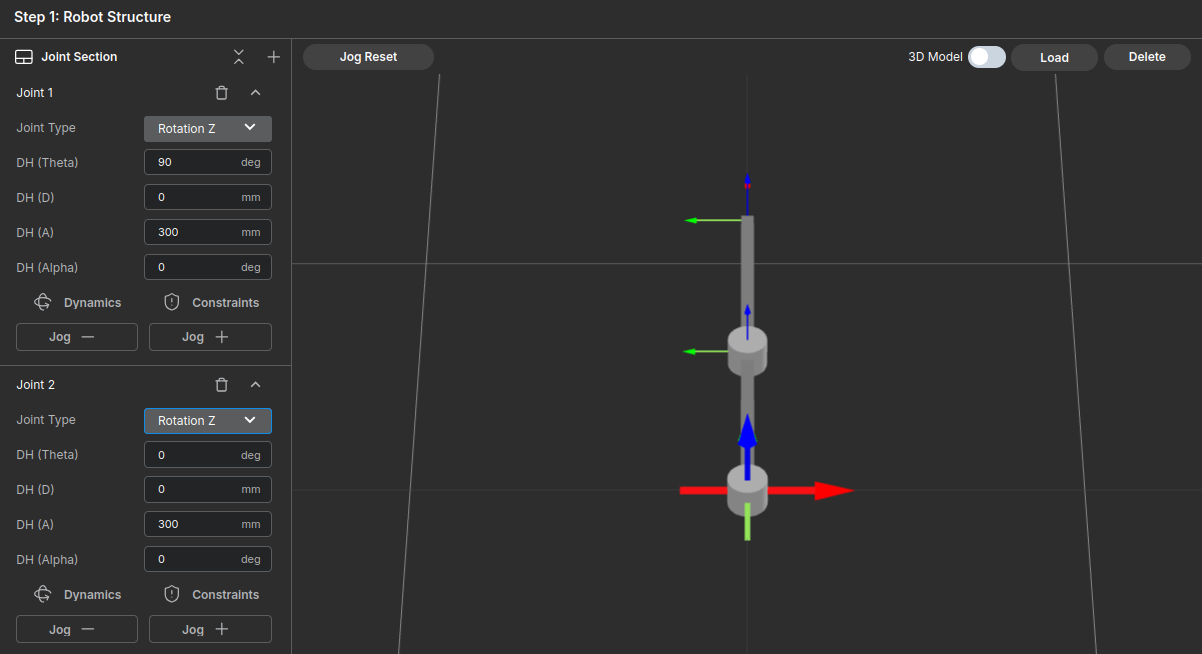
1. Add Joints
- Click the
+button on the right side of the Joint Section to add two joints.
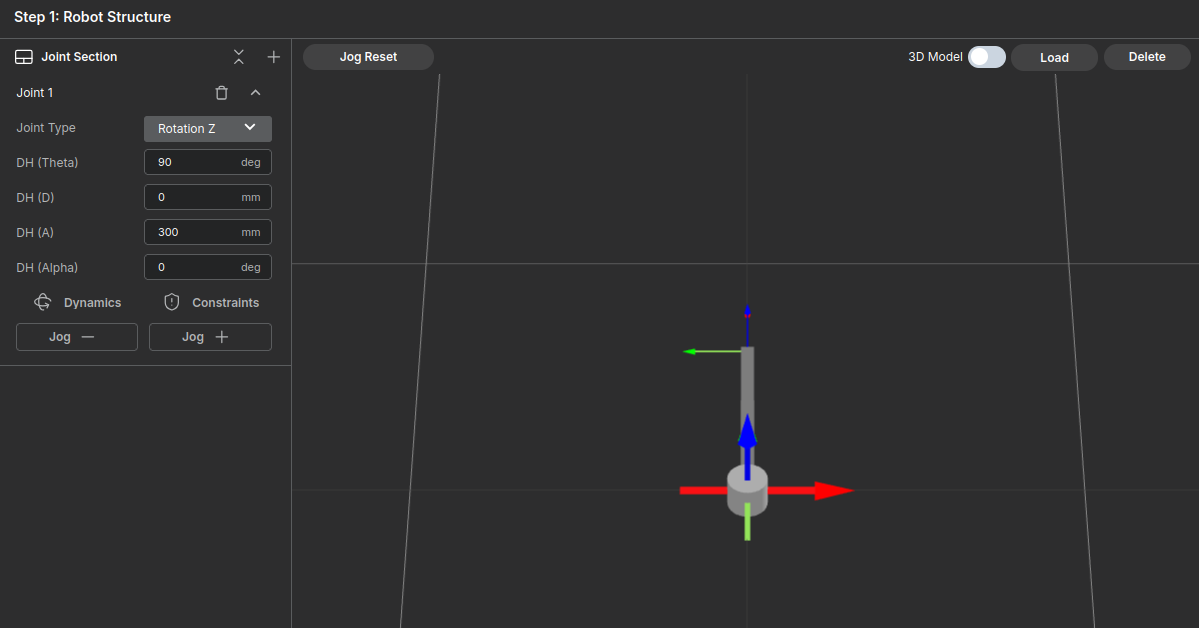
2. Configure Link 1
Enter the parameters as follows to create a 300mm link along the Y-axis:
- Input Values:
- Theta (θ) :
90deg - D:
0mm - A:
300mm - Alpha (α) :
0deg - Joint Type:
Rotation Z
- Theta (θ) :
3. Configure Link 2
Set up the second link with the following values:
- Input Values:
- Theta (θ) :
0deg - D:
0mm - A:
300mm - Alpha (α) :
0deg - Joint Type:
Rotation Z
- Theta (θ) :
4. Verify Movement
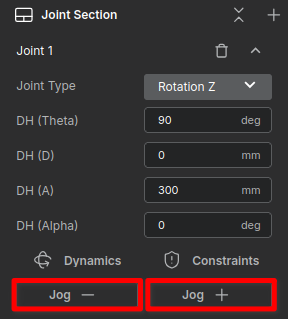
Use the Jog tab to ensure the joints rotate correctly.
- Jog: Moves the robot.
- Jog Reset: Returns the moved robot to its origin.
Step 3: Dynamics Configuration
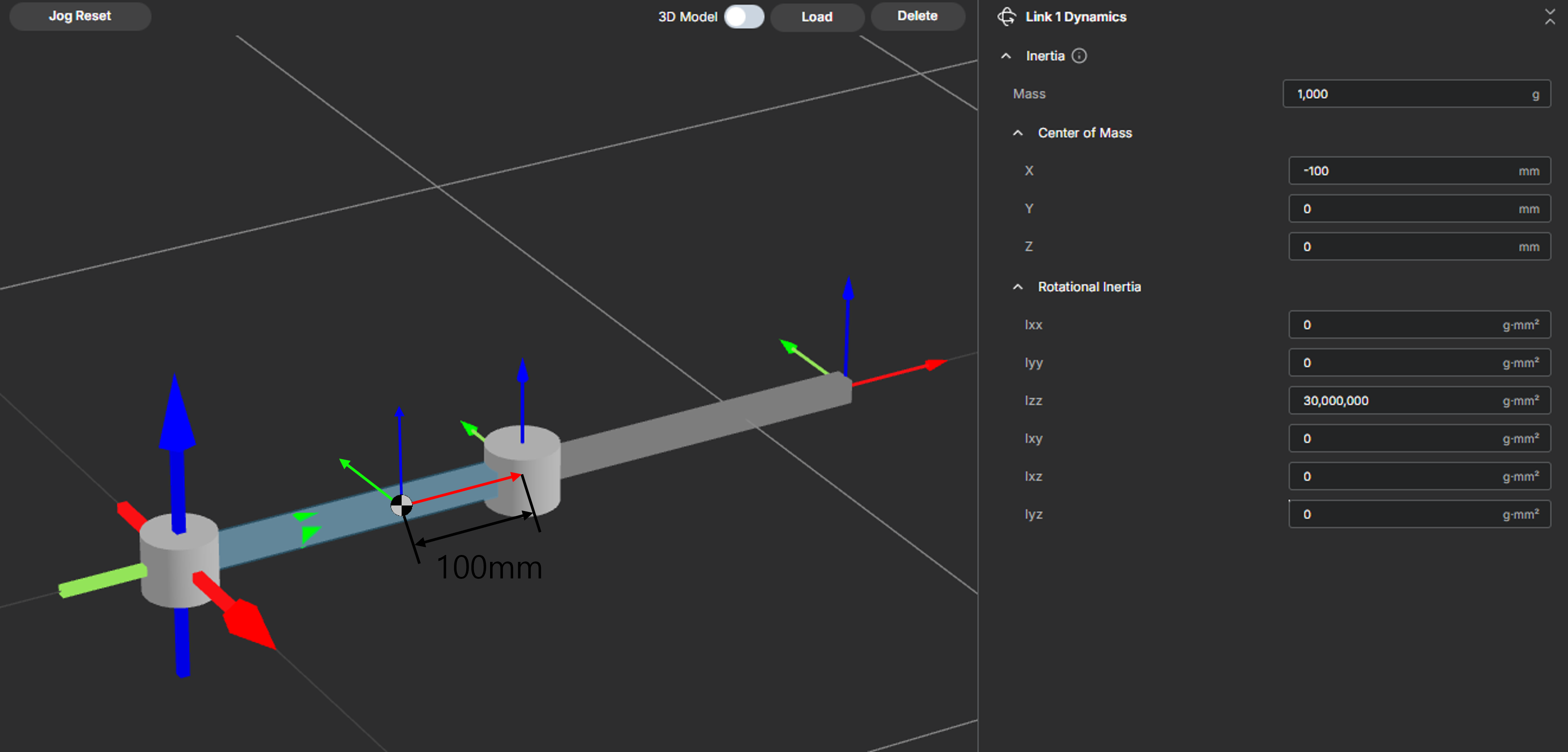
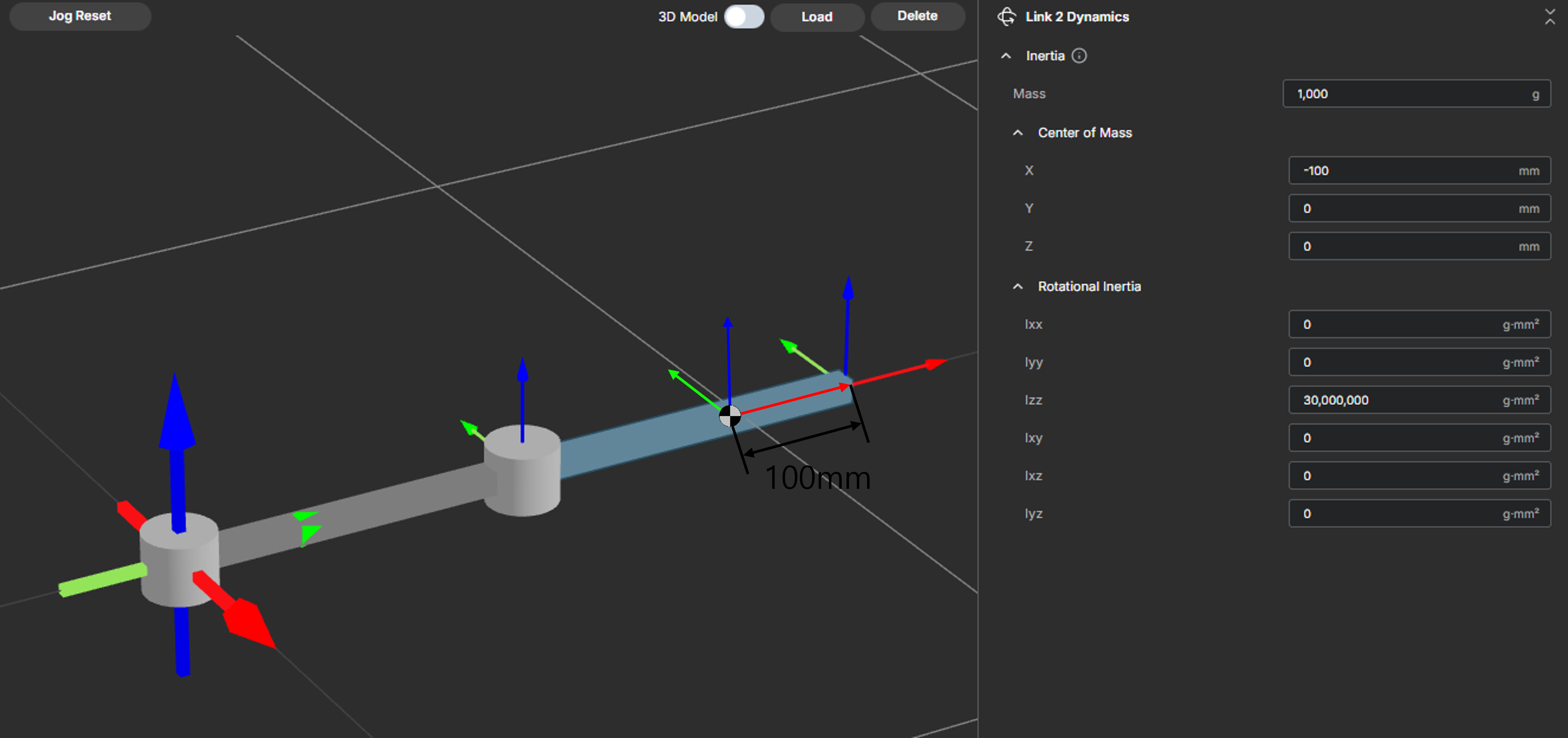
Now we apply physical properties to the robot. For this tutorial, simply input the approximate values provided in the screenshots.
Note: For detailed definitions of Coordinate Systems and Mass calculations, please refer to the User Guide.
- Click Dynamics in the Joint Section.
- Enter the values for Mass, Center of Mass, and Inertia as shown below.
Link 1 Settings
Link 2 Settings
Step 4: Constraints Setup
Finally, we configure the safety limits and friction parameters.
- Click the Constraints button in the Joint Section.
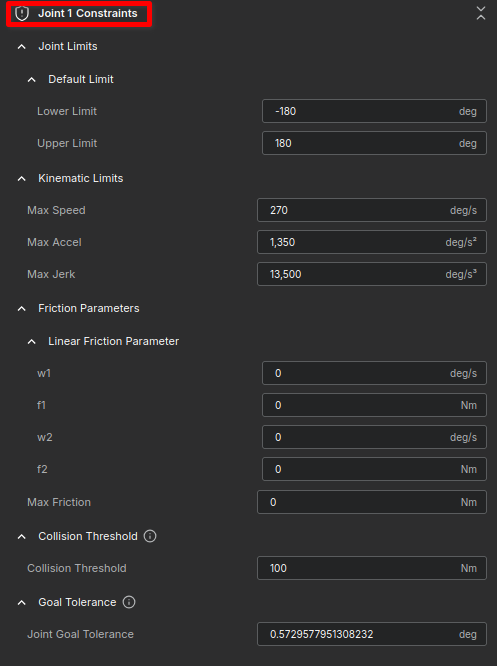
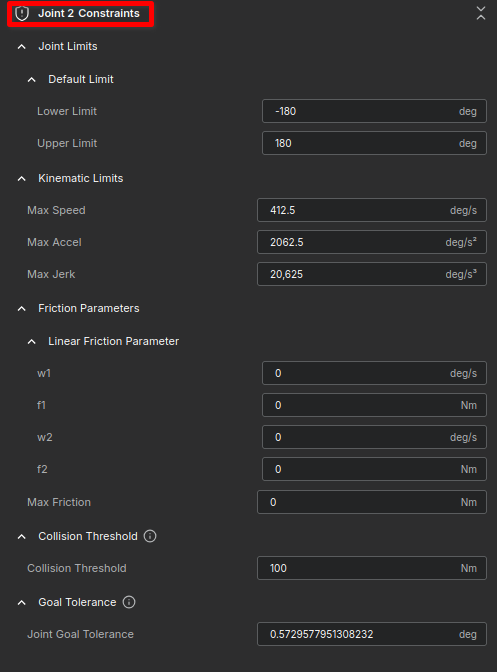
- Match the settings in the images below for each joint.
Joint 1 Constraints
- Input Values:
- Lower Limit (θ):
-180deg - Upper Limit:
180deg - Max Speed:
270deg/s - Max Accel:
1,350deg/s² - Max Jerk:
13,500deg/s³ - w1:
0deg/s - f1:
0Nm - w2:
0deg/s - f2:
0Nm - Max Friction:
0Nm - Collision Threshold:
100Nm - Join Goal Tolerance:
0.5729577951308232deg
- Lower Limit (θ):
Joint 2 Constraints
- Input Values:
- Lower Limit (θ):
-180deg - Upper Limit:
180deg - Max Speed:
412.5deg/s - Max Accel:
2062.5deg/s² - Max Jerk:
20,625deg/s³ - w1:
0deg/s - f1:
0Nm - w2:
0deg/s - f2:
0Nm - Max Friction:
0Nm - Collision Threshold:
100Nm - Join Goal Tolerance:
0.5729577951308232deg
- Lower Limit (θ):
Summary
Congratulations! You have successfully:
- Created a robot skeleton using DH parameters.
- Applied dynamic properties.
- Configured safety constraints.
Your test_robot is now ready for simulation or control tasks. Proceed to Step 2: Robot System Parameters to configure the global robot parameters.